A CRM migration is the most disruptive project a dealership undertakes, and "AI CRM" pitches frequently propose one for capabilities that could be added to the CRM you already run. Twenty-five questions decide whether migration is the right shape of answer — and for most stores it is not.
This guide covers migrate versus add, what migration costs, the twenty-five questions in five groups, where migrations fail, and what to measure.
Migrate, or add?
The default should be add, and the burden of proof sits with migration.
| Add AI to the current CRM | Migrate to an AI CRM |
|---|---|
| Weeks | Months |
| Keeps history intact | History transfers imperfectly, always |
| Staff keep working | Retraining, and a productivity dip |
| Reversible | Effectively not |
| Limited by what the CRM exposes | Whatever the new platform does |
Migrate when the current CRM genuinely cannot expose what you need — no usable API, no write access, no way to get your own data out. That is a real situation and it is the only one that justifies the cost.
Add when the CRM works and the gap is capability rather than architecture, which is most of the time.
What does migration actually cost?
Beyond the licence
Illustrative. The shape is consistent even when the levels are not.
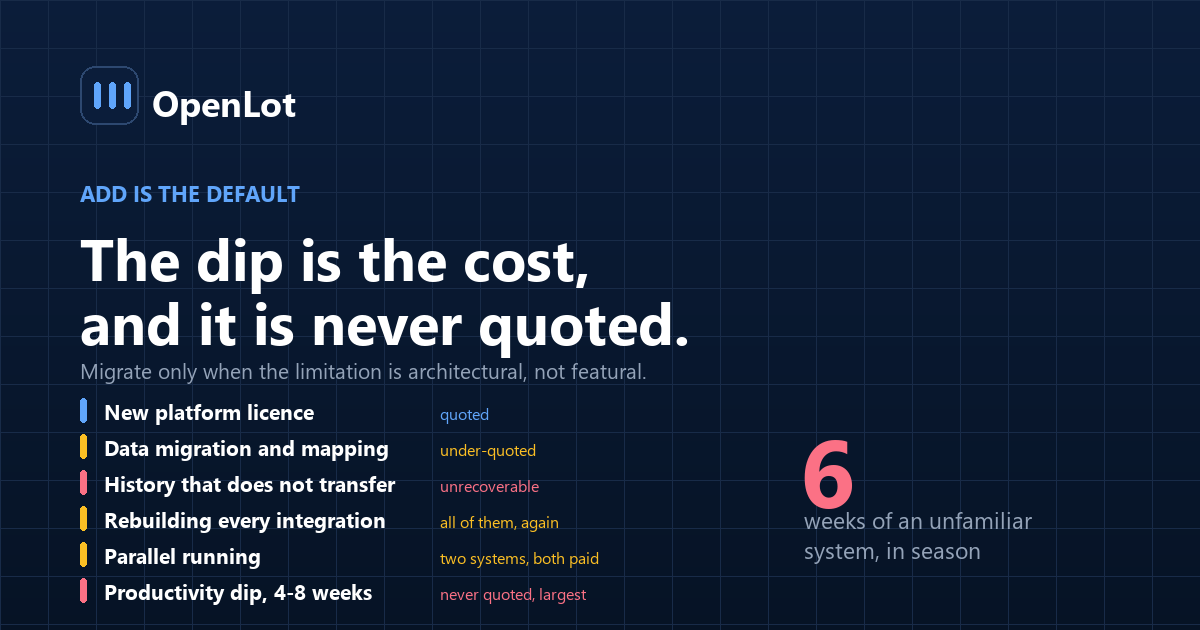
Item Typical New platform licence The quoted number Data migration and mapping Substantial, and usually under-quoted History that does not transfer cleanly Unrecoverable Retraining, all staff Weeks of partial productivity Rebuilding integrations Every connected system, again Parallel running period Two systems, both paid for Productivity dip, 4–8 weeks The largest item, and never quoted The last row is the one that decides it. A sales floor working in an unfamiliar system for six weeks during a selling season costs more than any licence difference, and it does not appear in any proposal.
The twenty-five questions, in five groups
Data and history (5)
- What history transfers, and in what fidelity — activities, notes, attachments?
- What does not transfer?
- Can we export everything from the new system, on demand, without asking?
- What format, and does it include relationships or only records?
- Who owns the data, in writing?
Integration (5)
- Which of our systems does it integrate with, by name and version?
- Real-time or batch, stated in seconds?
- Which fields are read, and which are written?
- Per-rooftop pricing on integrations?
- How do we know when a connection breaks?
The same five that open any evaluation — the twenty-question checklist applies here with the CRM as the subject.
The AI capabilities (5)
- What does the AI actually do, task by task?
- Show the escalation trigger list.
- What happens on a price question?
- Can we change rules without a support ticket?
- Does any of this require data quality we do not have?
Operations (5)
- What is the realistic go-live timeline, in weeks?
- What is the parallel running period?
- What does retraining involve, per role?
- Who at our store owns this after go-live?
- What breaks when a salesperson leaves?
Commercial and exit (5)
- Single-rooftop price, and what is the billable unit?
- Renewal increase history?
- Notice period, and what leaving costs?
- What happens to our data on termination?
- Month-to-month, or a term?
Where do CRM migrations fail?
1. Migrating for a feature. The commonest, and it is the reason to ask question 11 before anything else — if the capability could be added, the migration is unnecessary.
2. Underestimating the productivity dip. The largest cost and the one nobody quotes.
3. History that does not transfer. Discovered after cutover, when the old system is already being decommissioned.
4. Integrations rebuilt from scratch. Every connected system, again, at the new platform's integration pricing.
5. Migrating onto dirty data. The duplicates come with you and now live in a system nobody knows how to clean — the dependency covered in does your CRM need AI or clean data first, and the reason CRM data decay is a prerequisite rather than a side issue.
6. No parallel period. Cutting over without an overlap means no fallback when something is missing.
7. Timed badly. A migration during a strong selling season costs more than it saves for the year. And before any of this, settle which system owns what — a migration into an undefined ownership model relocates the ambiguity rather than resolving it. Check what you can actually export from both the old platform and the new one.
What should you measure before deciding?
| Metric | How to compute | What it decides |
|---|---|---|
| What the current CRM exposes | API access, fields, write permissions | Whether add is even possible |
| Duplicate contact rate | Duplicates ÷ records | Whether migration carries a problem forward |
| Integrations in place | Count, by system | What has to be rebuilt |
| Staff familiarity cost | Users × weeks of reduced output | The dip, estimated |
| Capability gap, specifically | What you need that the CRM cannot do | Whether it is architecture or features |
| Cost of adding vs migrating | Both, fully built | The comparison |
Row five decides the shape of the answer. A gap that is "we want AI follow-up" is a feature gap and probably addressable. A gap that is "we cannot get our own activity data out" is architectural, and that is when migration becomes the right answer.
Frequently asked questions
Should a dealership migrate to an AI CRM or add AI to its current one?
Add, unless the current CRM genuinely cannot expose what you need — no usable API, no write access, or no way to extract your own data. Migration is the most disruptive project a store runs, and most AI CRM pitches propose one for capabilities that could be added to the existing system.
What does a CRM migration actually cost?
Far more than the licence. Data migration and mapping, history that does not transfer, retraining every user, rebuilding every integration, a parallel running period paying for two systems, and a productivity dip of several weeks — the last of which is usually the largest item and never appears in a proposal.
What should be asked before signing?
Twenty-five questions across five areas: what history transfers and what does not, integration by named system with sync latency, what the AI actually does task by task with its escalation list, the realistic timeline and retraining load, and the commercial terms including renewal history and exit cost.
What is the biggest hidden cost?
The productivity dip. A sales floor working in an unfamiliar system for four to eight weeks costs more than any licence difference, and because it does not appear on an invoice it tends to be left out of the comparison entirely.
What happens to CRM history during a migration?
Some of it transfers cleanly and some does not, and which is which should be established in writing before signing rather than discovered after cutover. Activities, notes and attachments frequently transfer at lower fidelity than records, and the loss is unrecoverable once the old system is decommissioned.
Does migrating fix a data quality problem?
No. Duplicates and dead records migrate with everything else and arrive in a system nobody yet knows how to clean. Data remediation is a separate project that should happen before a migration rather than being assumed to be solved by one.
When is migration genuinely the right answer?
When the limitation is architectural rather than featural: the CRM has no usable API, no write access, or no reliable way to export your own data. Those constraints cannot be worked around, and they block every future capability rather than just the current one.
When should a migration not be scheduled?
During a strong selling season. The productivity dip lands at the worst possible time, and the cost of that timing frequently exceeds the entire annual saving the migration was meant to produce.
Conclusion
- Add is the default. The burden of proof sits with migration.
- The productivity dip is the largest cost and it is never in the proposal.
- Twenty-five questions, five groups. Ask question 11 first: what does the AI actually do?
- Migration does not fix dirty data. It relocates it.
- Architectural gaps justify migrating. Feature gaps do not.
Last updated: