Dealership CRM data decays continuously: customers appear as three records, phone numbers go dead, and activity that happened never gets logged. The result is not just messy data. It is reports that are confidently wrong — inflated lead counts, deflated close rates, and source attribution that sends budget to the wrong place.
This guide covers the four ways dealership CRM data decays, how to quantify each, and how to stop the decay rather than periodically cleaning up after it.
What does bad CRM data actually cost?
It does not present as a data problem. It presents as a performance problem, which is why it survives.
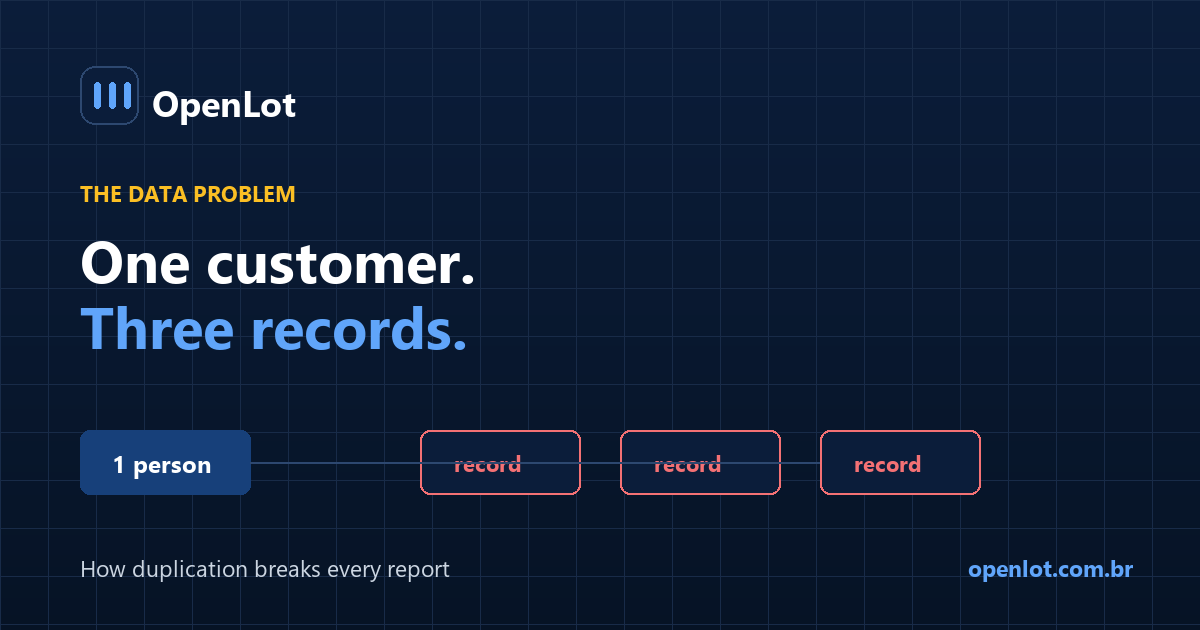
A customer who submits a website form, a marketplace lead and a phone call becomes three records. When they buy:
- Your lead count counted three leads
- Your close rate divided one sale by three leads
- Your attribution credited whichever record the deal attached to
- Your follow-up may have contacted them three times from three people
Every one of those numbers is wrong, and they are all wrong in the direction that makes your team look worse than it is. Stores respond by pressuring the sales floor over a close rate that was never real.
How duplication distorts the picture
Illustrative arithmetic. Run it against your own export.
A store logs 400 lead records a month and sells 40 units from them. Reported close rate: 10%.
Now deduplicate. Suppose 22% of those records are the same humans appearing more than once — well inside the range stores find on a first audit.
- 400 records → roughly 312 actual people
- Same 40 sales
- Real close rate: 12.8%
That is a 28% relative difference in the number you use to judge your team, forecast, and set marketing budget.
Worse, duplication is not evenly distributed across sources. Sources that generate repeat submissions look artificially cheap per lead and artificially bad on close rate. Your budget follows a ranking that duplication produced.
The four ways dealership CRM data decays
1. Duplicate customers
The largest and most consistent problem. Causes:
- Multiple lead sources for one shopper, each creating a record
- Name variations — Bob and Robert, hyphenated surnames, typos
- Different contact details across submissions — work email here, personal there
- Household members treated as one customer or as separate ones, inconsistently
- Repeat customers not matched to their prior purchase record
Most CRMs deduplicate on exact matches only. Exact matching catches the easy cases and misses most real ones.
2. Dead contact data
Phone numbers disconnect, people change carriers, email addresses are abandoned. A CRM record from three years ago is substantially less reachable than it appears, and nothing in the record tells you that. Equity mining campaigns built on aged data routinely underperform for this reason alone, and get blamed on the offer.
3. Unlogged activity
A call that happened but was never logged is, to every report you run, a call that did not happen. This distorts:
- Response time, because first touch appears later than it was
- Attempt counts, which look lower than reality
- Handoffs, because the next person sees no history
- Any performance review based on activity
Manual logging is incomplete in direct proportion to how busy the person is — meaning the data is worst exactly when volume is highest.
4. Orphaned and stale records
Leads assigned to salespeople who no longer work there. Deals left open for months. Statuses that were never advanced. These inflate pipeline and make every forecast optimistic.
How to measure the damage
Four numbers, none requiring a tool purchase.
| Metric | How to compute | Concerning when |
|---|---|---|
| Duplicate rate | Unique humans ÷ total records, 12 months | Above ~15% |
| Dead number rate | Invalid or disconnected ÷ total | Above ~10% |
| Unlogged activity | Phone system call count vs CRM logged calls | Gap above ~20% |
| Orphan rate | Records assigned to inactive users | Anything above 0 |
The third is the most revealing and the least often run. Export 30 days of calls from your phone system and 30 days of logged calls from the CRM, for the same extensions. The gap is activity your reports do not know about.
Deduplicating properly
Exact match on name and phone will miss most duplicates. A workable matching hierarchy:
- Exact phone match — strongest single signal
- Exact email match
- Normalized name + partial phone — last four digits, after stripping formatting
- Normalized name + address
- Fuzzy name + any shared contact detail — flag for review rather than auto-merge
Normalize before comparing: strip punctuation from phone numbers, lowercase emails, standardize street suffixes, and handle common name variants. Most "no match" results are formatting differences, not different people.
Merge conservatively. A wrongly merged pair of records is harder to unwind than a duplicate left in place.
How to stop the decay
Cleaning once and declaring victory does not work — decay is continuous, so the controls have to be too.
1. Deduplicate on ingest, not in batch. Every new lead gets matched against existing customers before it becomes its own record. This prevents duplicates rather than accumulating and periodically purging them.
2. Validate contact data at entry. Phone format and carrier validation at the moment of capture is cheap and stops bad data at the door.
3. Log activity automatically. Calls, texts and emails should be logged by integration, not by discipline. Any process depending on a busy person remembering will fail under load.
4. Make one system the customer of record. When the CRM, the DMS and a marketing tool each hold a customer identity with no shared key, they will diverge. Pick which one is authoritative and match the others to it.
5. Run a monthly decay report. The four metrics above, trended. Trend matters more than absolute level — a rising duplicate rate means an ingest rule broke.
6. Reassign orphans at offboarding. Make it part of the offboarding checklist, not an annual cleanup.
Frequently asked questions
How many duplicate records does a typical dealership CRM have?
Stores auditing for the first time commonly find double-digit duplication, and it varies widely with how many lead sources feed the CRM and how matching is configured. The number matters less than measuring yours, because every close rate and attribution report depends on it.
Why is my dealership close rate lower than it should be?
One frequent cause is that the denominator is inflated by duplicates. If one customer appears as three lead records, your close rate is computed against three leads for one sale. Deduplicate before concluding the sales floor is underperforming.
How do I find duplicate customers in my CRM?
Normalize the data first — strip phone formatting, lowercase emails, standardize names — then match on phone, then email, then name plus partial phone. Exact matching alone catches only the obvious cases.
Should I merge duplicate records automatically?
Auto-merge only on strong signals such as exact phone or email matches. Weaker matches should be flagged for human review, because an incorrect merge is harder to reverse than a duplicate left alone.
How often should a dealership clean its CRM data?
Continuously, through ingest-time deduplication and automatic activity logging, rather than in periodic cleanups. Batch cleaning treats the symptom while the cause keeps producing new ones.
Why do calls not show up in my CRM?
Usually because logging is manual. Compare your phone system's call count against CRM-logged calls for the same period and extensions — the gap is activity your reports are blind to.
Does bad CRM data affect marketing attribution?
Directly. If one customer exists as three records from three sources, the sale is credited to whichever record the deal attached to. Sources that generate repeat submissions are systematically misrepresented in both directions.
Conclusion
- Bad data presents as a performance problem, which is why it persists — teams get blamed for a denominator error.
- Duplication inflates leads and deflates close rate, and it is unevenly distributed across sources.
- Unlogged activity is the least-audited gap. Compare phone system counts to CRM counts.
- Deduplicate on ingest, not in batch. Prevention beats periodic cleanup.
- Log automatically. Manual logging fails hardest when volume is highest.
Export 12 months of leads and deduplicate on phone. Whatever rate you find is the error margin on every CRM report you have made a decision with.
Last updated: